Best practices
Naming conventions
Use descriptive and meaningful names: Use clear and concise names for your flows, actions, and variables. This will make it easier for others to understand and maintain your flows.
| Type | Naming | Example |
|---|---|---|
| Flow | Descriptive Flow Name - SUFFIX | Send Action Required Notification to Approver – OSB |
| Action | Descriptive Action Name | List Rows: List Active Approvers With Email Address |
| Condition: If the Approver list is not empty | ||
| Switch(Status Reason) Case: When Draft/Active/Inactive/etc. | ||
| Variable | DescriptiveVariableName : Type | EmailRecipients : String |
Improving maintainability
Scope your action
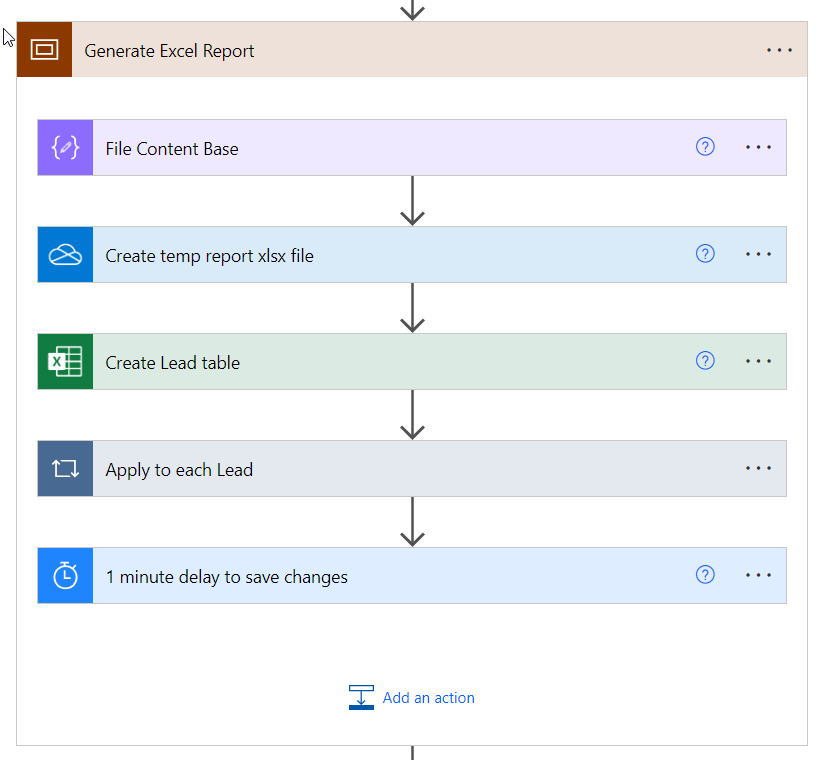
Logically related Actions should be placed within a Scope, and given an easy-to-understand name that summarises what happens within it.
E.g.
Modularize your flows
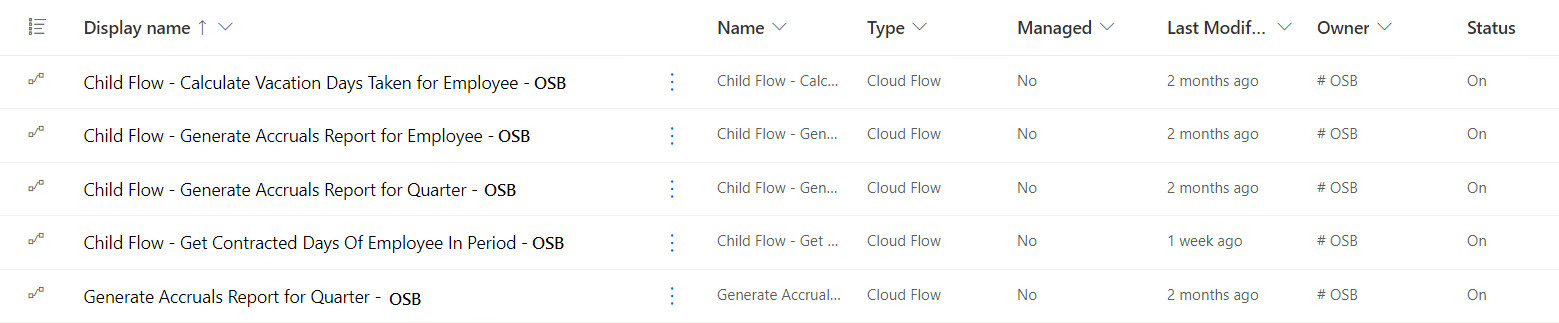
Break down complex flows into smaller, reusable modules or sub-flows (Use the "Child Flow - " prefix in the name of the flow). This promotes reusability and makes your flows easier to manage and update.
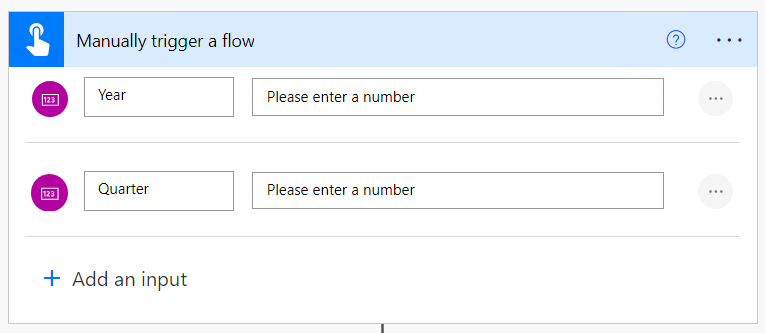
Using child flows:
- Allows us to use variables within loops by calling the child flow in the loop instead of defining the logic in it.
- Makes it possible to use manual and automated triggering of the logic.
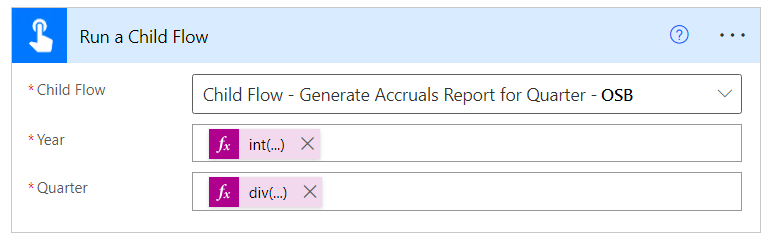
- Allows you to provide easy-to-read input variables (e.g.: employee name and guid) that makes debugging easier.
E.g.
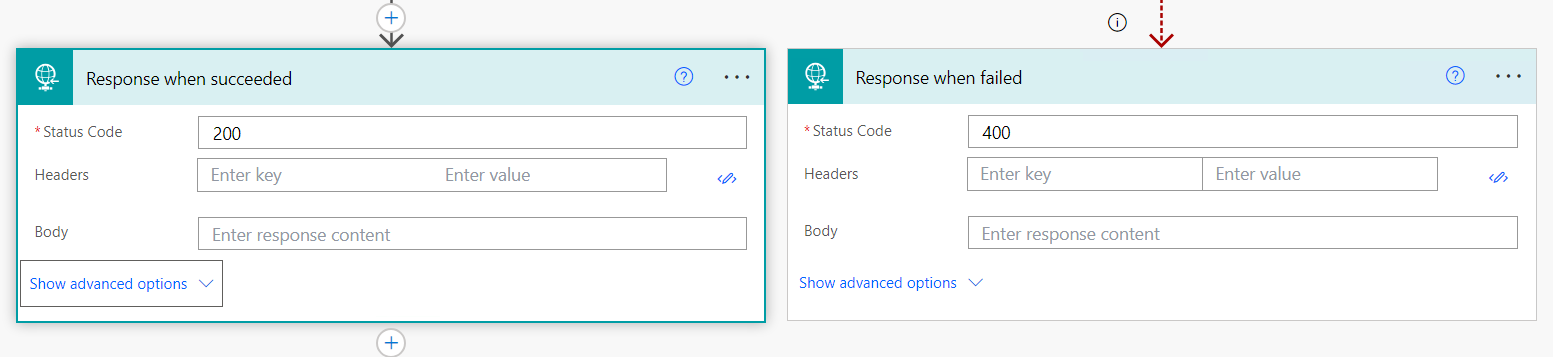
There should be a Response Action at the end of the Child Flow
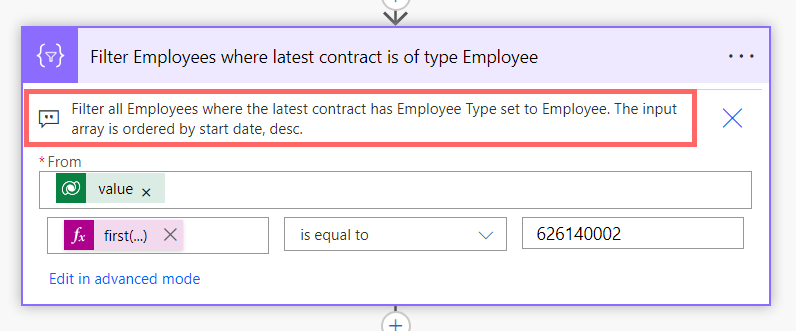
Add comments to explain logic
Document your flows with comments to explain the purpose and logic of each action. This helps others understand your flow's functionality and troubleshoot any issues.
E.g. "Fetches user details from the HR system"
Improving performance
Use appropriate connectors
Select the most suitable connectors for your flow's requirements. Avoid using generic connectors when specialized connectors are available. This improves performance and ensures compatibility with specific features of each connector.
E.g. Instead of using the "HTTP" connector for an Azure DevOps task, utilize the specialized "Azure DevOps" connector to take advantage of its dedicated features.
Leverage parallelism
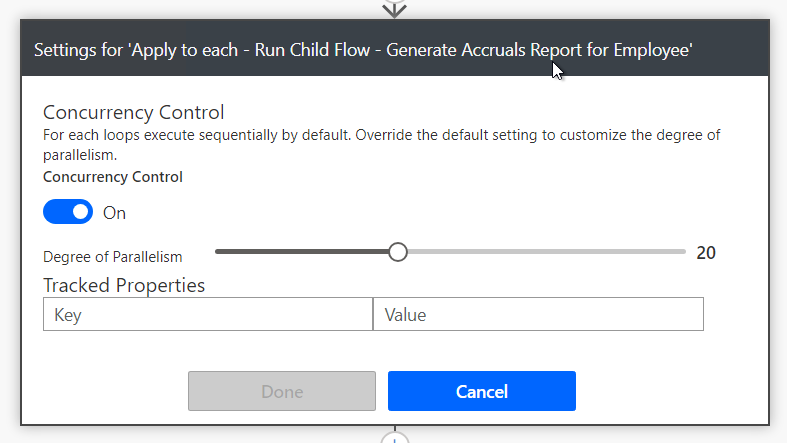
When possible, parallelize actions that don't depend on each other. Use the "Apply to each" action to process multiple items concurrently, reducing overall execution time.
E.g. If you have a list of emails to send, use the "Apply to each" action to send them in parallel, improving performance.
Use expressions and variables effectively
Leverage Power Automate's expressions to manipulate data and perform calculations within your flow. Use variables to store and reuse intermediate results, improving readability and performance.
E.g. Use an expression like add(variables('number1'), variables('number2')) to calculate the sum of two variables.
Limit unnecessary actions and iterations
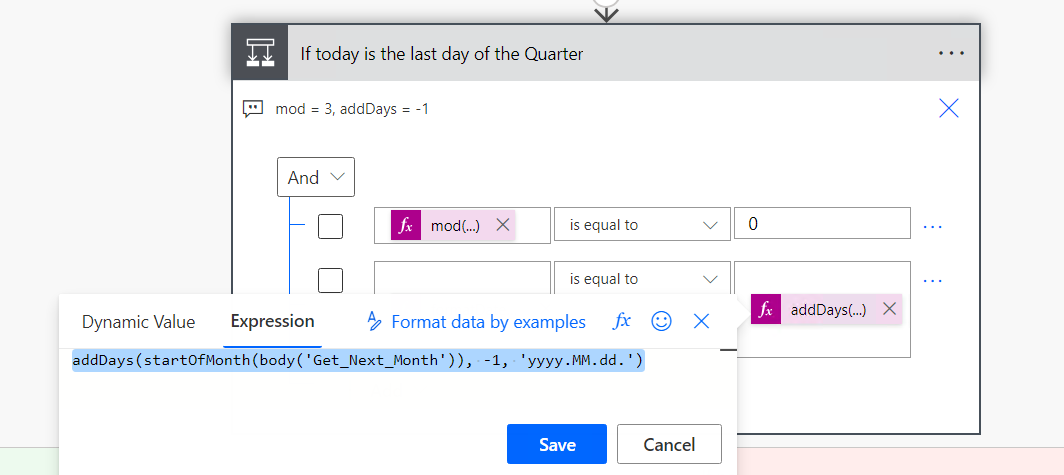
Review your flow to eliminate redundant or unnecessary actions. Minimize the number of iterations over collections by using "Filter array" or "Compose" actions to extract specific elements.
E.g.
Improving readability
Dynamically configure your flows
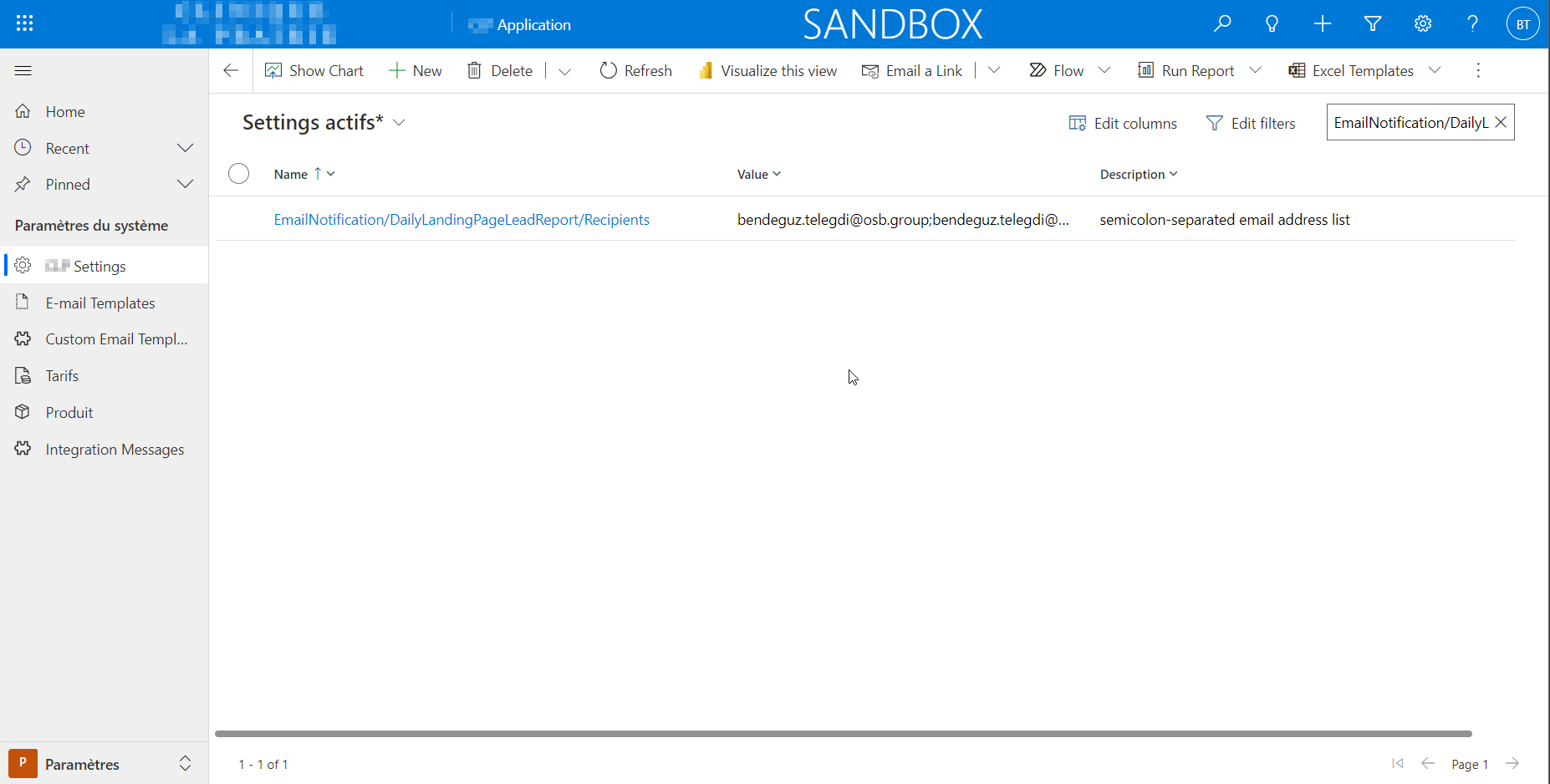
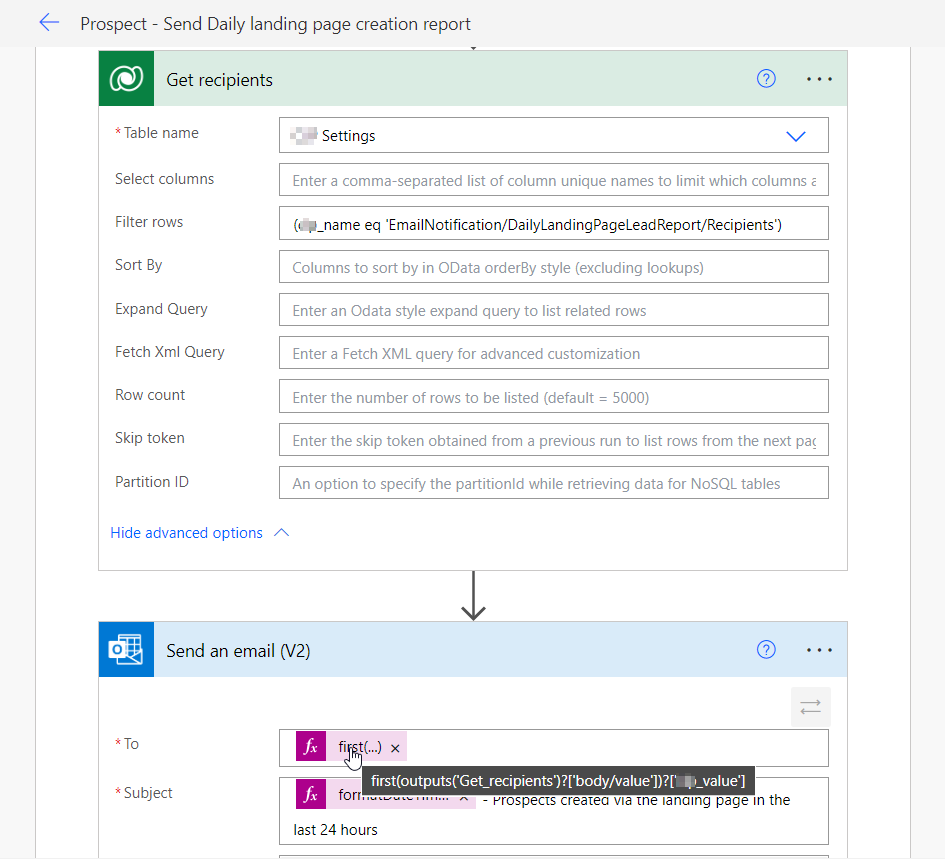
Instead of hard-coding values directly into actions, use environment variables1, variables or configuration table2 to store and reference values. This makes it easier to update or reuse values across multiple actions an Flows.
1Environment variables are better for configurations that are configured by us or by a system admin.
2Configuration tables are better when it is necessary to either change the values frequently, or the client should be able to configure the behavior as well
E.g.
Error handling
Configure run after
Use the Configure run after function to specify what should happen if an action runs successfully, has failed, is skipped or has timed out.
| Run after | Explanation |
|---|---|
| is successful | If the action runs successfully |
| has failed | An action has any type of failure (except timeout) |
| is skipped | An action was skipped. Actions are skipped either when a condition is not met, or, when a previous action before that action fails |
| has timed out | An action time out. This can happen if the call to the backend times out (120 seconds), or for long running actions such as approvals, after 30 days |
When a Flow needs to continue differently after an Action fails than when it runs successfully, you can create a parallel branch with run after set to is successful on one side and has failed on the other. This way, one branch will execute on a successful run and the other branch will execute on a failed run.
To add a parallel branch for error handling:
- Insert a new Step and choose add a parallel branch option
- Choose an Action and open the Action menu
- Select Configure run after option
- Select the options you want to handle
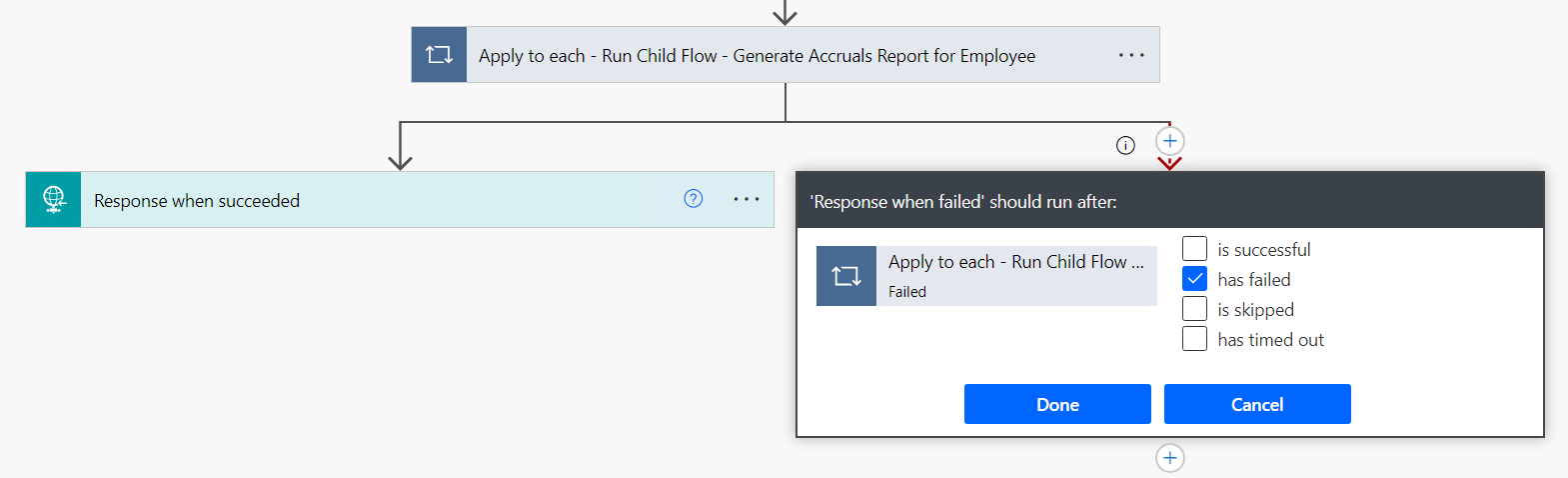
When the Flow can continue to run the same way whether it has run successfully or failed, we simply don't create a new branch, we just add the has failed option to the default is successful option in the Configure run after.
Null value handling (coalesce)
Coalesce function evaluates its arguments in order and returns the first value that isn't null.
variable_null = null
variable_123 = 123
variable_456 = 456

coalesce(
    variables('variable_null'),
    variables('variable_123'),
    variables('variable_456'),
)

output: 123 // variable_123 is the first one with a value other than null
Implement retry mechanisms
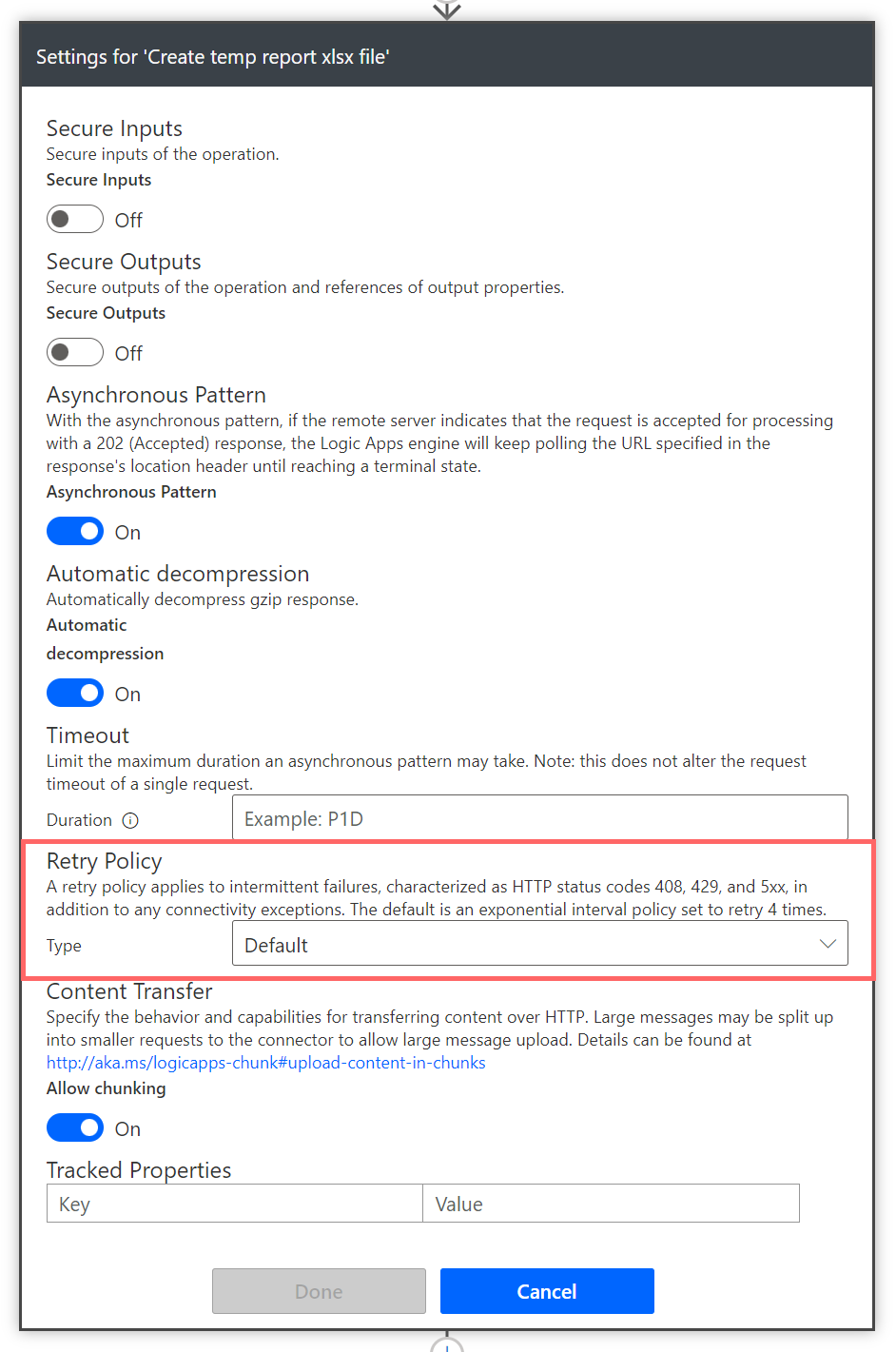
For actions that occasionally fail due to intermittent issues, consider adding retry logic. This allows the flow to automatically retry the action a certain number of times before taking an alternative path.
E.g.